SaaS onboarding often begins with a contradiction: the team wants to teach everything while the customer wants to reach the outcome that made them sign up. A ten-step tour appears, followed by tooltips and a documentation library. The user learns to close windows and click “Next.” They do not necessarily learn the product.
The problem is not a lack of information. It is the moment your customer gets stuck. The answer may already exist, but not where the customer is working, not with their account context and not in time to preserve momentum.
Guidance becomes useful when it answers the question a person has now, in the part of the product where they are working and according to what their account can do. An embedded Customer Success and product support agent receives the question, understands authorized context and guides the user toward a concrete action. At the same time, it shows the team where users struggle, which capabilities attract interest and which conversations need human follow-through.
From a small blocker to lost momentum
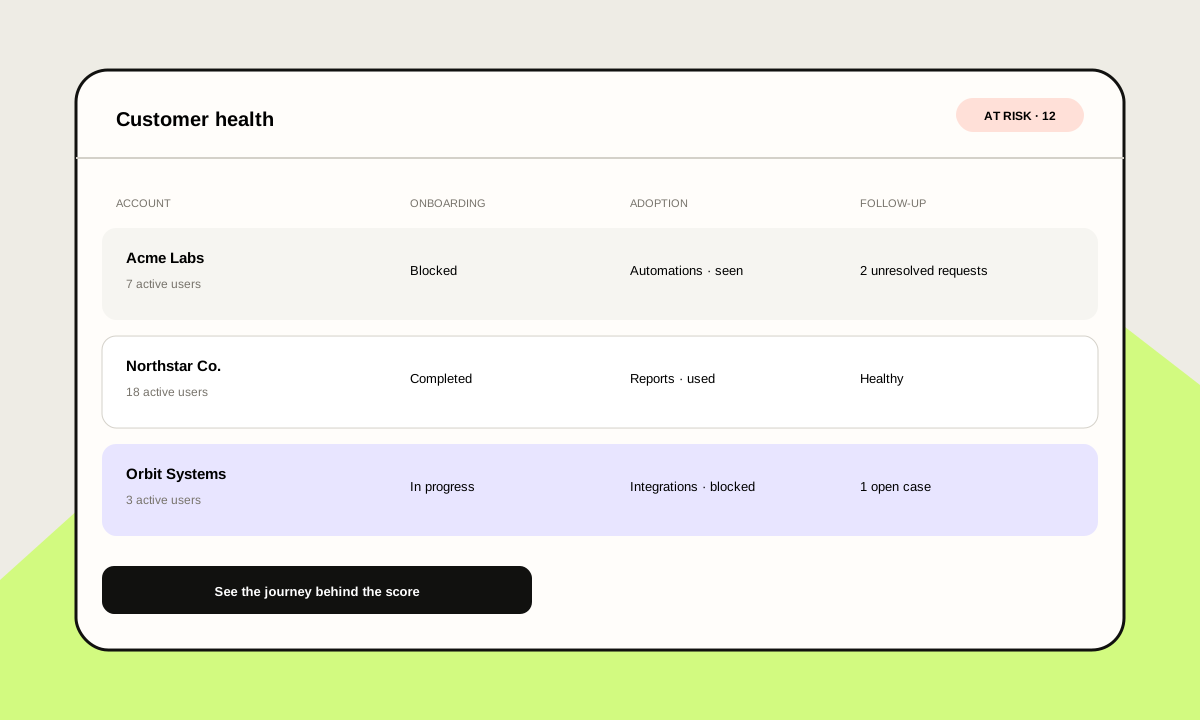
A two-minute question can become a week of inactivity. A user tries to configure an integration, cannot find the right permission and leaves the task. Support sees the message hours later; Customer Success discovers “low usage” at the next business review.
That delay affects the entire relationship:
- Activation stops before the first valuable outcome.
- The team repeats answers already available in documentation.
- Product sees ticket volume without always seeing the route that produced the question.
- Customer Success notices risk after the user has lost momentum.
- A useful feature or more suitable plan never appears at the relevant moment.
The opportunity is to connect support and adoption at the same point: inside the product, during real work. From a stuck customer to a clear next step.
Resolve with context, not another generic tour
An initial tour can explain the interface, but it cannot know every user’s priority. An Operations lead may want to connect data; an administrator needs permissions; an analyst only wants to build a first report.
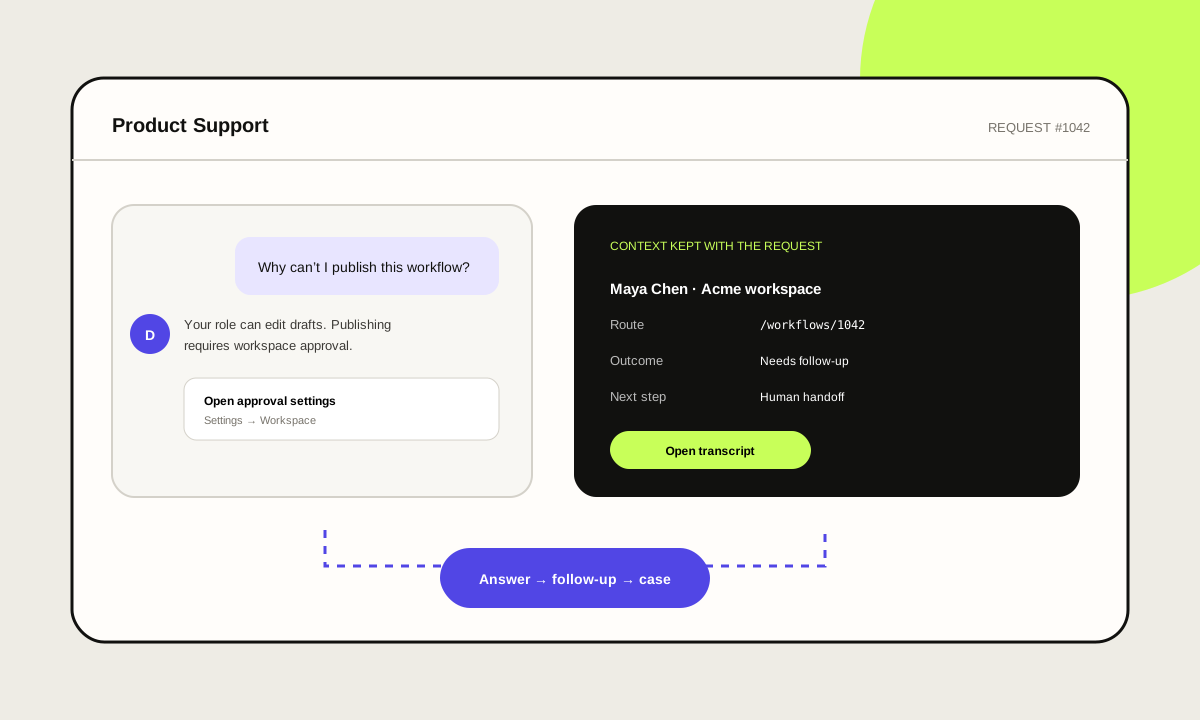
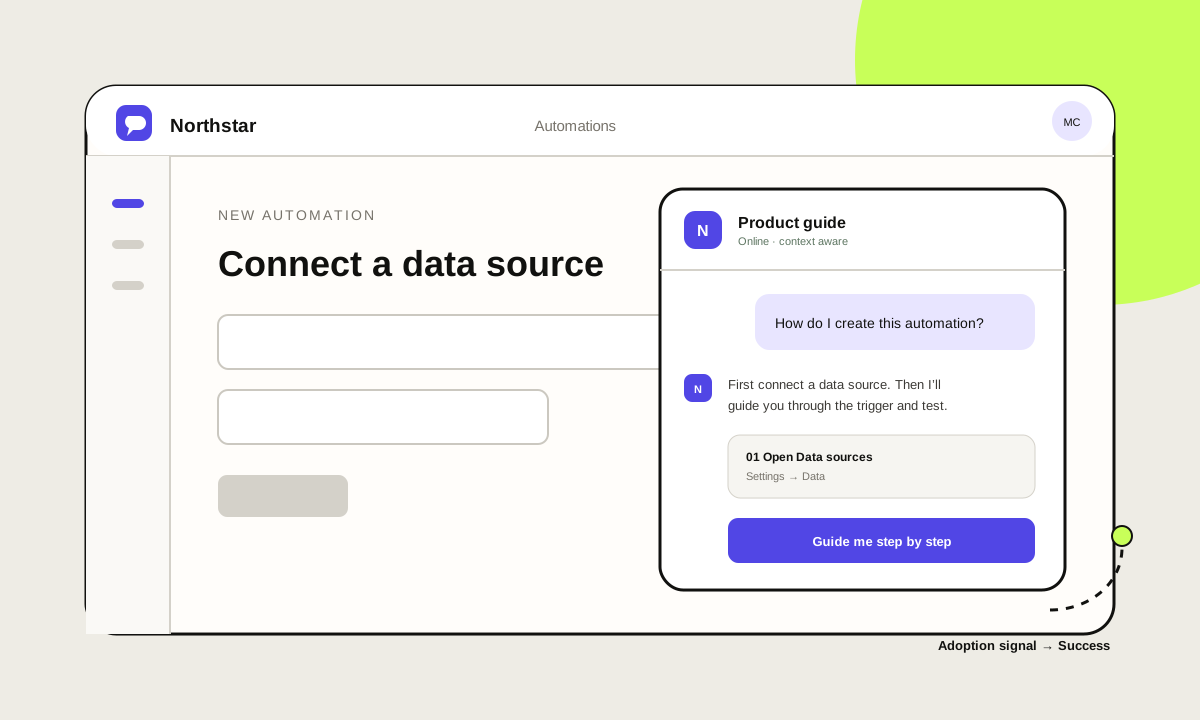
The AI agent waits for intent. When a user asks, “How do I create my first automation?”, it answers with the context of that section, plan and entitlements. It can explain the prerequisite, open the correct route and guide the process step by step.
Connect a data source
What do I need to create this automation?
N Your plan includes basic rules. First connect a data source; then I’ll guide you through choosing a trigger and testing the rule.
The practical difference is simple: the agent does not try to teach every feature before it matters. It helps complete a task and carries context into the next question.
A useful answer needs controlled context
A product agent should not guess what an account can do. The flow starts with identity signed by the SaaS backend and a policy that chooses which context to share: organization, role, plan, entitlements, enabled features, current route, usage summary and recent journey signals.
Daily combines that context with two resources prepared by the team:
- Published knowledge. Approved documentation, guides and answers that define how the product should be explained.
- Custom tools. Read requests to authorized endpoints that retrieve relevant application or user state without exposing credentials to the model.
When a user asks, “Why can’t I use this feature?”, the agent can distinguish a pending configuration, a permission issue or a capability available on another plan. The answer becomes the right next step instead of a generic link.
Turn support into observable adoption
Questions are qualitative data about the product experience. If ten users ask how to import contacts from the same screen, the team receives a different signal than ten isolated tickets labeled “configuration.”
The agent can associate each request with signals such as the current section, features viewed, features used, onboarding state, integrations and recent blocks. Signed backend events confirm important outcomes—such as an integration being connected—while navigation helps explain the journey.
Feature recommendations that make sense
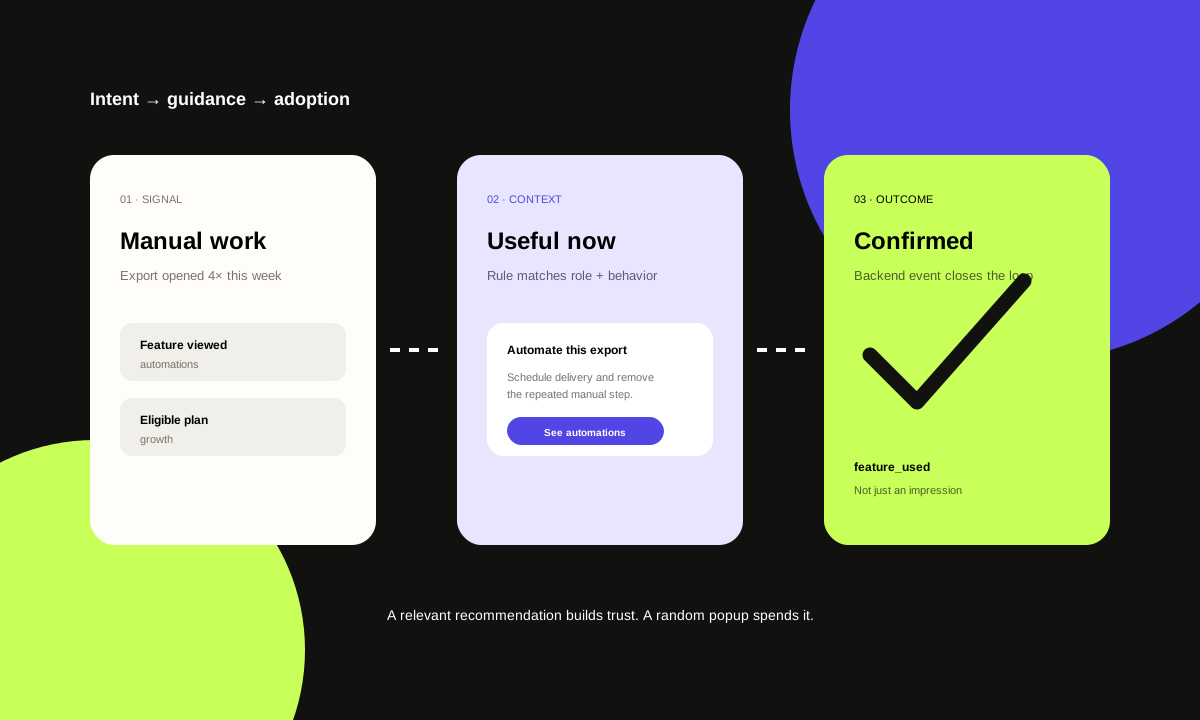
An in-product recommendation works when it explains why a capability is useful now. The agent does not need to turn every conversation into a sale. Controlled rules can consider plan, role, feature views, prior usage, onboarding and open requests before showing a suggestion.
For example, an account that exports data manually every week can receive guidance about automations. If that capability belongs to another plan, the agent explains the benefit and opens the SaaS company’s own upgrade route. A signed event later confirms whether the change occurred.
The same logic supports adoption without an upsell: remind the user about an included integration, show a view that removes steps or explain a capability the team has not used.
Every request should become an actionable outcome
The team gains leverage when conversations become organized work. Daily brings together sessions, requests, frequent topics, resolutions, escalations, cases, handoffs and actions shown or selected.
A teammate can take over a request with the necessary history, add notes, change case status and continue without asking the customer to repeat the problem. The team can also identify patterns that should improve documentation, interface design or agent rules. The durable thread includes the sources, case status, actions and next step—not just an answer.
Human handoff without breaking the experience
Some questions require diagnosis, commercial judgment or an account decision. In those moments, the agent preserves what it already understood and prepares the handoff: user, organization, route, question, attempted steps and relevant context.
The team can assign the request, open a case and continue from the same point. Automation reduces reconstruction; a person remains accountable for the decision.
Map the product through GitHub, then review it
Daily can connect authorized frontend and backend repositories through a GitHub App. It pins a code revision and proposes a map of sections, features, safe destinations and knowledge sources. The repository accelerates discovery; the team still reviews what the agent may explain and where it may navigate before publishing.
The installation then adds the branded widget, a backend endpoint that signs each user’s identity and the product events that confirm usage or blockers. This keeps UI navigation, authoritative state and agent guidance separate and auditable.
How to design the pilot
A useful implementation starts with the journey, not an endless answer list. The first pilot can focus on one critical activation path and two or three high-volume areas.
1. Map moments and outcomes
Choose the tasks that lead to first value, repeated questions and blocks that affect adoption or renewal. Define what “resolved” means for each one.
2. Publish knowledge and product structure
Prepare approved guidance, routes and brand language. A Product Manifest helps the agent understand sections and destinations without inventing navigation.
3. Define identity, context and tools
Decide which attributes the backend signs, what data the agent can read and which endpoints it needs. Every tool receives explicit permissions and scope.
4. Design rules and escalation
Configure when to show a guide, suggest a feature, present an eligible upgrade, create a case or request a handoff. Frequency limits keep guidance from becoming repetitive.
5. Measure the complete journey
Review resolved requests, frequent topics, escalations, later adoption and confirmed outcomes. A useful metric connects the conversation to behavior instead of counting messages alone.
Support less. Drive adoption more.
The experience lives in a responsive modal or panel inside the SaaS, with the product’s colors, tone and messages. The user remains inside the product. Daily provides the agent configuration, knowledge, tools, signals, cases and analytics needed to operate that guidance.
The goal is not to add another chat. It is to shorten the distance between intent and outcome: answer when the question appears, resolve with context and turn the request into a timely next step. Product Support and Customer Success stay inside the moments that matter.
Explore Daily’s AI Customer Success solution or book a call to map your workflow.